
Catch what's breaking, before your users tell you
Error tracking that shows the real impact - which errors are hitting which users, what changed, and what to fix first - not a firehose of stack traces you'll never triage.
5-minute setup
Free trial
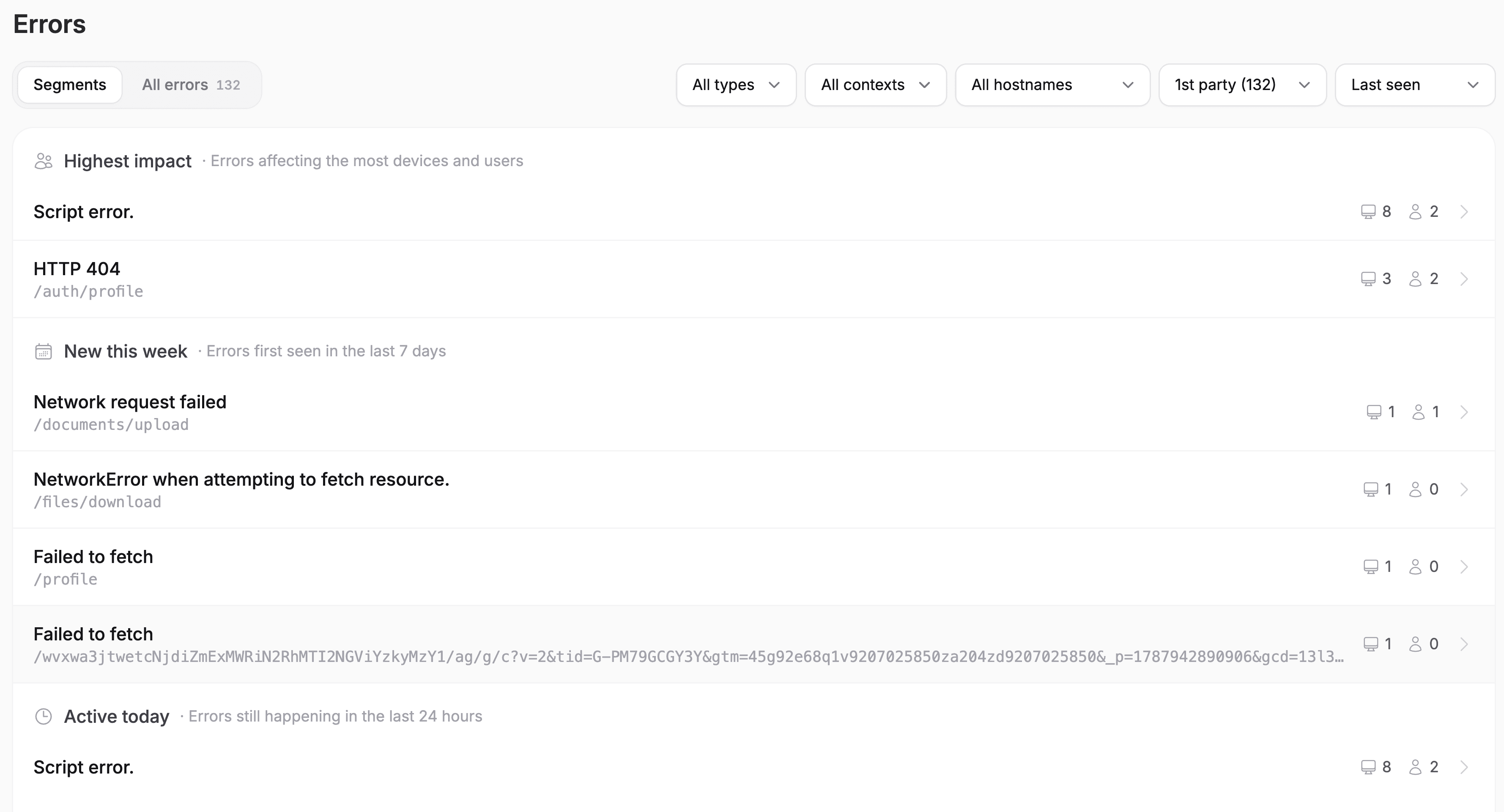
The full picture
Errors that come with context
Everything you need to catch what's breaking and know it matters - captured, prioritized by real impact, and explained in plain language.
Browser & JS errors
Catch the errors your users actually hit in the browser - the broken buttons, failed forms, and blank screens that never show up in your logs.
API & network failures
See the failed requests and server errors behind a broken experience - so you know whether it's the frontend, the API, or the network.
Real user impact
Every error is tied to the users and accounts it hit - so you fix the one blocking a key customer's signup first, not the noisy one nobody notices.
Root cause, not just a trace
The stack trace, the session it happened in, and what the user was doing - together, so you can see why it broke, not just that it did.
Flagged the moment it matters
A new error, a spike, or a regression is surfaced as it happens - so you hear about what's breaking from Overcentric, not from an angry customer.
Insights, not just numbers
Overcentric triages the errors for you and tells you which ones matter, who they're hitting, and what to fix first.
Built for humans and agents
Works with your AI
With Overcentric's MCP server, Claude, Cursor, or any agent can pull this straight into your conversation - so you get the answer right where you already work.
claude - overcentric-mcp
> What's the most impactful error affecting my users right now?
● Checking active errors ranked by how many users they're hitting.
└ overcentric-mcp::list_top_errors → 5 active, ranked by affected users
● A TypeError on /checkout is your biggest one: it's hit 40% of users since Tuesday and blocks payment. Two of your paying accounts hit it this morning - it's costing you revenue right now.
> what's causing it?
└ overcentric-mcp::get_insight → checkout error, stack trace + linked session
● It fires when the cart total is undefined - a pricing call fails silently, then checkout reads a value that isn't there. Stack trace and a replay showing it live are linked; the fix is a null check before the total renders.
See the full picture
Part of one connected picture
This is one piece of the machine. Overcentric watches the rest too - so acquisition, retention, experience, and reliability all read as one picture, not four disconnected tools.
Website analytics
See where your best visitors come from, and what makes them convert.
Product analytics
Understand who's engaged, who's growing, and who's slipping away.
Session replays
Analysed for you - the sessions that matter, and where users get stuck.
AI agents / MCP
Let your AI tools act on your data - fix errors, dig into metrics.
FAQ
Common questions, answered
Sentry is a powerful, developer-focused error tool - but it's a separate system to set up and monitor, and it hands you a flood of issues to triage on your own.
Overcentric catches the same errors, then tells you which ones actually matter: it ranks them by real user impact, ties each to the users and accounts affected, links the session that shows it, and explains what to fix - all in the same place as your traffic, product, and replays. No separate tool, no triage marathon.
No - that's the point. Error tracking is part of the same SDK and the same platform. One install covers your website, product, replays, and errors, so reliability reads as part of the whole picture instead of living in a disconnected tool.
No. Overcentric surfaces what matters - new errors, spikes, and the ones hitting real users - not every stack trace. You hear about the things worth acting on, in plain language, not a noisy feed you learn to ignore.
Yes. It captures browser and JavaScript errors your users hit, plus the API and network failures behind them - so you can tell whether a broken experience is a frontend bug, a failing request, or a server error.
From signup to insights in minutes
It's a single SDK that covers everything, nothing else to install.
5-minute setup · Free trial
- 1
Create a project
Sign up and create a project for whatever you're tracking - a site, a product, one or many.
- 2
Install & Deploy
Drop one snippet into your code, or hand your AI coding tool a ready-made prompt and it installs itself.
Sign up and copy a ready-made prompt for your AI coding tool. It will:
Read your codebase to understand the project
Install Overcentric the way that fits your setup
Configure it with your project id, following your conventions
- 3
Overcentric takes it from there
It runs in the background and delivers what's important to your inbox or Slack - even before you ask.