Stop reading dashboards. Start getting answers.
Overcentric reads everything happening across your website and product, finds what actually matters, and tells you in plain language - what changed, why, and what to do about it.
5-minute setup
Free trial
How it works
Great analytics is only half the job
Someone still has to read all those numbers. Overcentric does that part for you - watching everything, finding what matters, and handing you the answer.
Everything, in one view
Traffic, product usage, sessions, and errors read as one picture - so insights connect the dots across your whole funnel, not one tool at a time.
Finds what matters
Overcentric sifts the signal from the noise for you - the source drying up, the account going quiet, the error hitting real users - so nothing important slips past.
Plain language, not charts
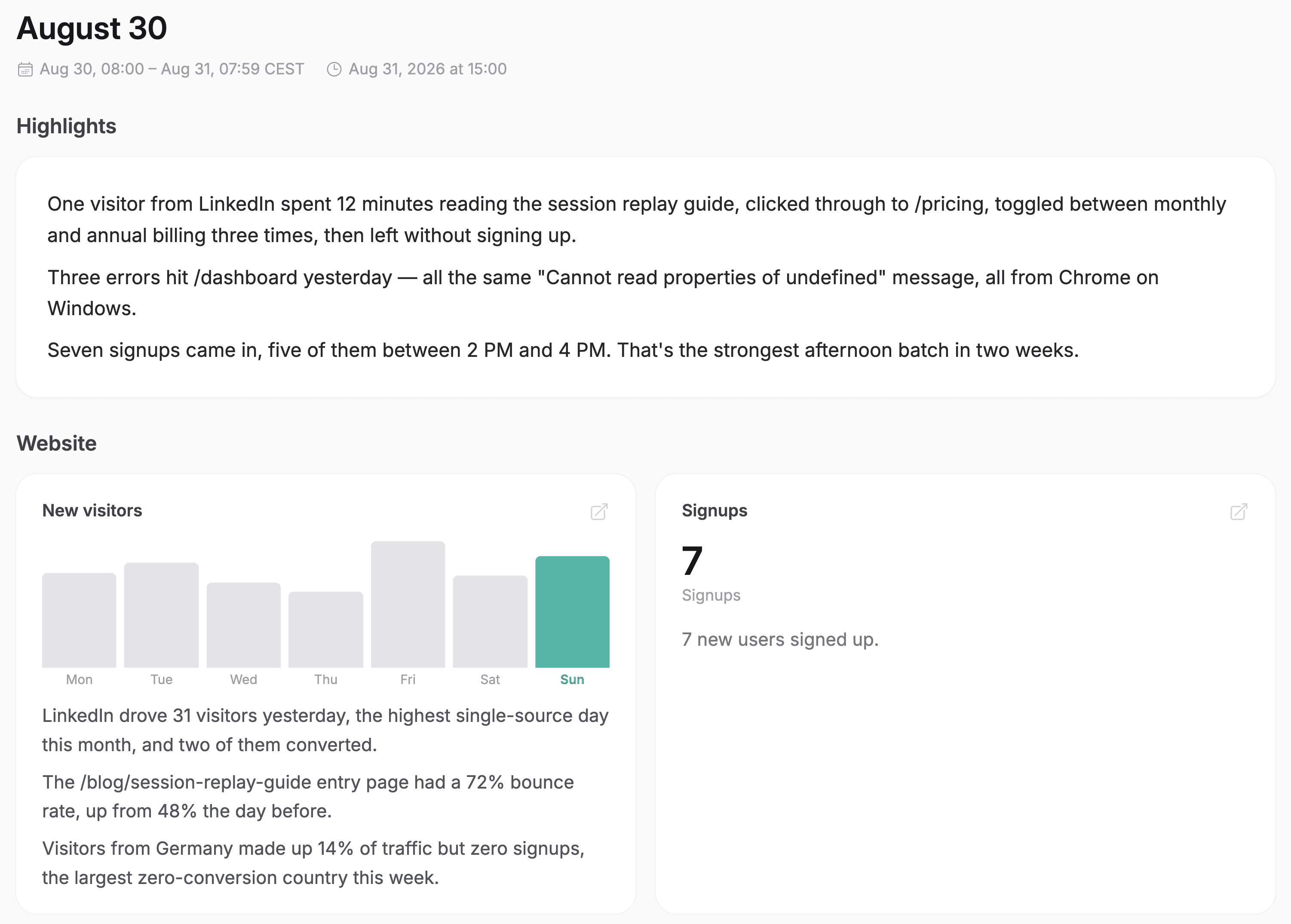
Every insight is written in a sentence you can act on - what changed, why it changed, and what it means - not a dashboard you have to decode.
Tells you what to do
It doesn't stop at what happened. Each insight comes with a clear next step - the fix, the follow-up, the thing worth doubling down on.
Delivered to you
Clear digests land in your inbox or Slack, daily and weekly - so you stay on top of what matters without opening a single report.
Even before you ask
You don't have to go looking. Overcentric surfaces what needs your attention proactively, not another thing to check.
Built for humans and agents
Works with your AI
With Overcentric's MCP server, Claude, Cursor, or any agent can pull this straight into your conversation - so you get the answer right where you already work.
claude - overcentric-mcp
> What are the most important things I should know this week?
● Pulling this week's insights across traffic, product, and errors.
└ overcentric-mcp::list_insights → 3 flagged as high priority, last 7d
● Three things: (1) organic search is up 22% and converting well - worth more content in that series. (2) NorthWestLabs, a top account, has gone quiet - usage down 60%. (3) A new checkout error hit 40% of users on Tuesday and is still live.
> start with the error - what's going on?
└ overcentric-mcp::get_insight → checkout error, first seen Tue, 40% of users
● A TypeError on /checkout fires when the cart total is missing - it blocks payment for affected users. It's your highest-impact issue this week; want the replay and the stack trace to fix it?
See the full picture
Built on everything it watches
Insights come from everything Overcentric tracks - website, product, sessions, and errors - read as one picture, so the findings connect causes across your whole funnel.
Website analytics
See where your best visitors come from, and what makes them convert.
Product analytics
Understand who's engaged, who's growing, and who's slipping away.
Session replays
Analysed for you - the sessions that matter, and where users get stuck.
Error tracking
Catch what's breaking before it costs you users.
FAQ
Common questions, answered
A plain-language finding about your website or product - something that changed and matters, why it happened, and what to do about it. Not a chart or a metric, but the conclusion you'd normally have to dig for yourself.
From everything Overcentric already tracks - traffic, product usage, sessions, and errors. Because it watches all of it in one place, insights can connect causes across your whole funnel, not just one tool.
In clear daily and weekly digests to your inbox or Slack, in the app, and on demand through your AI tools via MCP - so the important things reach you wherever you already work, even before you go looking.
Yes. The numbers are all there when you want to dig in - insights just mean you don't have to. Overcentric does the reading for you and points you to what's worth a closer look.
From signup to insights in minutes
It's a single SDK that covers everything, nothing else to install.
5-minute setup · Free trial
- 1
Create a project
Sign up and create a project for whatever you're tracking - a site, a product, one or many.
- 2
Install & Deploy
Drop one snippet into your code, or hand your AI coding tool a ready-made prompt and it installs itself.
Sign up and copy a ready-made prompt for your AI coding tool. It will:
Read your codebase to understand the project
Install Overcentric the way that fits your setup
Configure it with your project id, following your conventions
- 3
Overcentric takes it from there
It runs in the background and delivers what's important to your inbox or Slack - even before you ask.