
Website analytics that actually make sense
See where your best visitors come from, who they are, which pages convert, and what is quietly costing you traffic - explained in plain language.
5-minute setup
Free trial
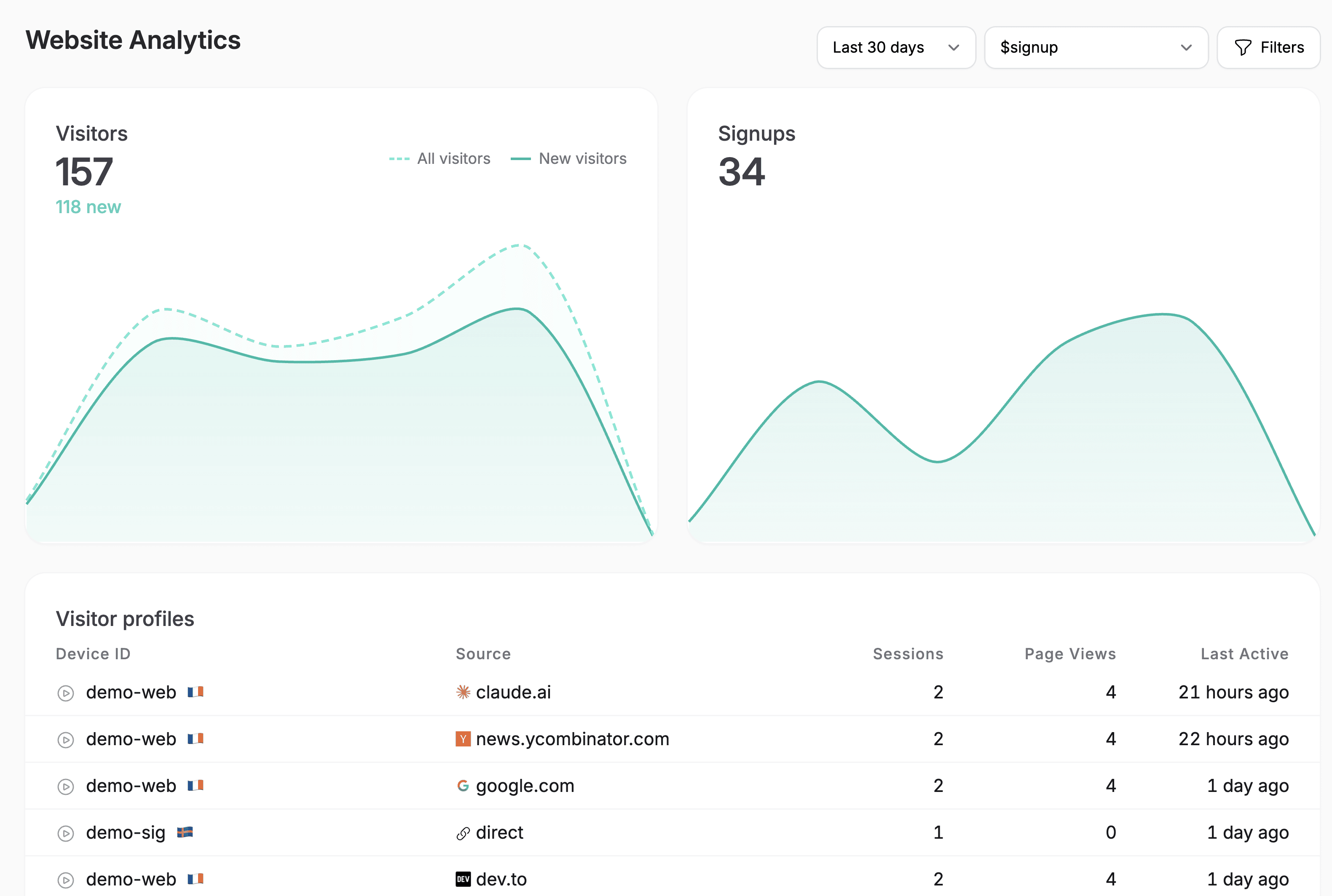
The full picture
Clarity without the complexity
Everything you need to understand and grow your traffic - tracked, analyzed and explained in plain language.
Best traffic sources
Not just where visitors come from - which sources bring the ones who convert and stick around.
Top entry pages
See which pages pull people in, and which quietly leak the traffic you worked to earn.
Search terms & SEO
Data from Google Search Console analyzed - the queries bringing you traffic, plus suggestions for the ones worth going after.
Conversions for your goals
Define what a win looks like - a signup, a purchase, a demo - and track it effortlessly.
Visitor profiles & identities
A profile for every visitor, not just a number in a chart - where they came from, who they are, and what they did on your site, and how many sessions they had.
Insights, not just numbers
Overcentric analyses the data for you and tells you what changed, why, and what to do next.
Built for humans and agents
Works with your AI
With Overcentric's MCP server, Claude, Cursor, or any agent can pull this straight into your conversation - so you get the answer right where you already work.
claude - overcentric-mcp
> Which sources sent my best-converting visitors last month?
● Pulling traffic sources and conversion rates for the last 30 days.
└ overcentric-mcp::traffic_sources → 6 sources, ranked by conversion
└ overcentric-mcp::get_metric → conversions by source, last 30d
● Your best-converting source was organic search (4.8%), then a Product Hunt referral (4.1%). Paid social sent the most visitors but converted at just 0.6% - it's inflating your traffic, not your signups.
> which pages are those organic visitors landing on?
└ overcentric-mcp::get_insight → top entry pages for organic, last 30d
● Mostly your /guides/* posts - three of them drive 70% of converting organic traffic. Worth writing more in that series; I can suggest topics from your search terms.
See the full picture
Part of one connected picture
This is one piece of the machine. Overcentric watches the rest too - so acquisition, retention, experience, and reliability all read as one picture, not four disconnected tools.
Product analytics
Understand who's engaged, who's growing, and who's slipping away.
Session replays
Analysed for you - the sessions that matter, and where users get stuck.
Error tracking
Catch what's breaking before it costs you users.
AI agents / MCP
Let your AI tools act on your data - fix errors, dig into metrics.
FAQ
Common questions, answered
Google Analytics gives you a wall of reports and leaves the interpreting to you - which is a job in itself, and the reason most founders install it and never open it again.
Overcentric watches the same traffic and tells you what matters, in plain language: which sources bring visitors who convert, which pages leak traffic, what changed this week and why. No report-building, no data team, no complexity.
Yes - and it goes further. Plausible is a clean, privacy-friendly traffic counter. Overcentric covers the same ground, then reads the numbers for you and connects your website to the rest of your funnel - product, users, and retention - so you see the whole picture, not just pageviews.
No heavy setup. Define what counts as a conversion for your project and Overcentric tracks it - no funnel-building or query-writing required.
Absolutely. If you're running a marketing, content, or static site, website analytics is the whole product for you - traffic, sources, search terms, conversions, and errors, watched and explained. The product and user side simply switches on if you add one later.
From signup to insights in minutes
It's a single SDK that covers everything, nothing else to install.
5-minute setup · Free trial
- 1
Create a project
Sign up and create a project for whatever you're tracking - a site, a product, one or many.
- 2
Install & Deploy
Drop one snippet into your code, or hand your AI coding tool a ready-made prompt and it installs itself.
Sign up and copy a ready-made prompt for your AI coding tool. It will:
Read your codebase to understand the project
Install Overcentric the way that fits your setup
Configure it with your project id, following your conventions
- 3
Overcentric takes it from there
It runs in the background and delivers what's important to your inbox or Slack - even before you ask.