
See exactly where users get stuck
Session replays without the endless watching - Overcentric surfaces the moments that matter, from rage clicks to silent drop-offs, and tells you what went wrong.
5-minute setup
Free trial
The full picture
Replays worth watching, found for you
Everything you need to see how users really experience your product - captured, surfaced, and explained in plain language.
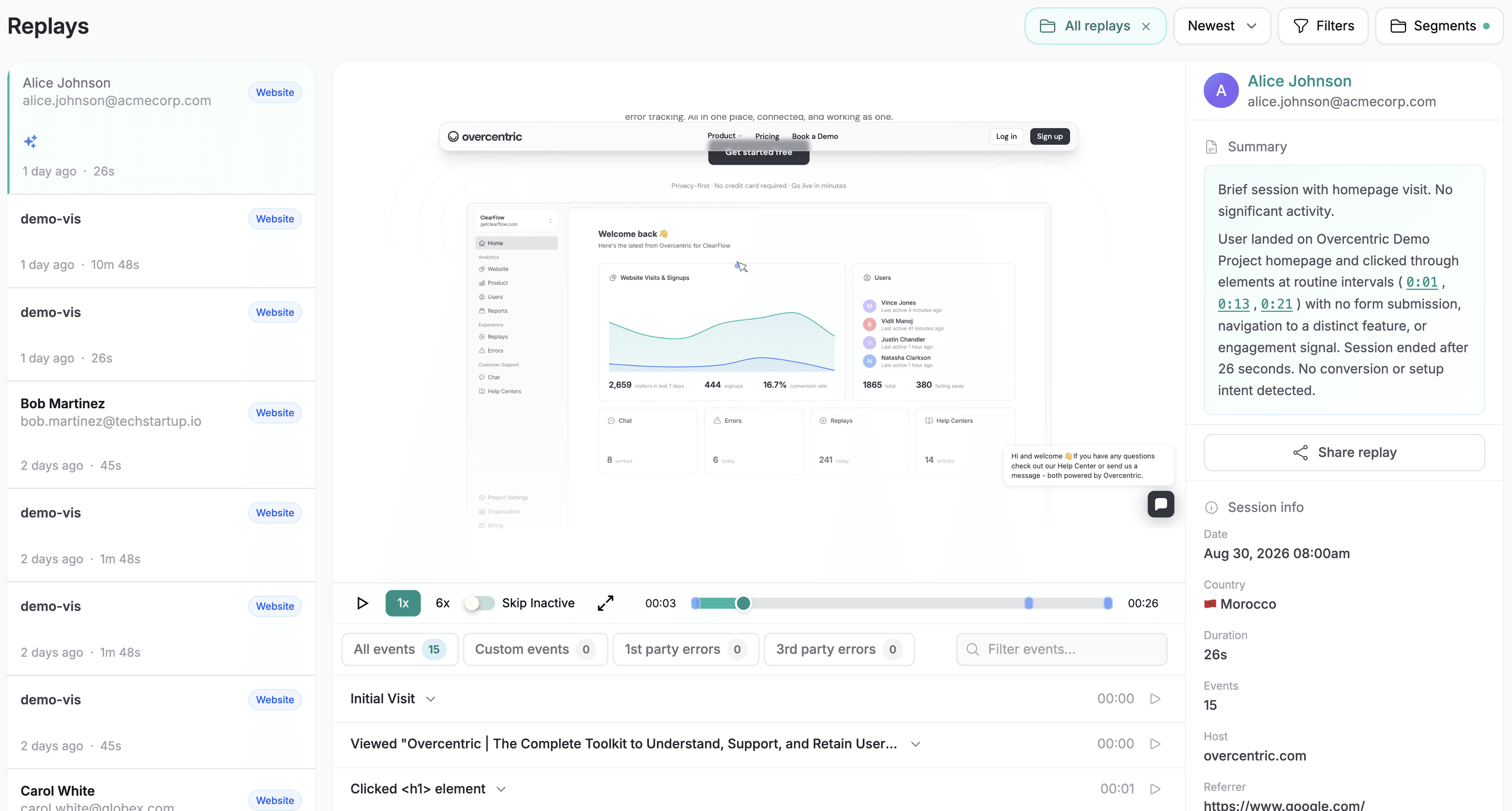
Full session replays
Watch real sessions play back exactly as users experienced them - every click, scroll, and hesitation, on your site or in your product.
Friction, surfaced for you
Rage clicks, dead clicks, form struggles, and error moments are flagged automatically - so you jump to what went wrong, not hours of footage.
The full journey
See the whole path a user took - the pages, the actions, the moment they got stuck - not one isolated clip out of context.
Tied to who it happened to
Every replay links back to the user and account behind it - so a stuck session on a key customer never slips by unnoticed.
Nothing to set up
Replays start recording the moment you install - no tagging, no configuring which events to capture, no extra tooling.
Insights, not just numbers
Overcentric watches the replays for you and tells you where users struggle, why, and what to fix.
Built for humans and agents
Works with your AI
With Overcentric's MCP server, Claude, Cursor, or any agent can pull this straight into your conversation - so you get the answer right where you already work.
claude - overcentric-mcp
> Where are users getting stuck on my signup flow?
● Checking sessions on the signup flow for friction signals over the last 7 days.
└ overcentric-mcp::list_sessions → signup flow, 12 flagged with friction
└ overcentric-mcp::get_insight → rage clicks on /signup, step 2, 12 sessions
● Step 2 of signup is the problem: 12 users rage-clicked the 'Continue' button before giving up. It looks disabled until a hidden validation passes, so people think it's broken.
> show me one of those sessions
└ overcentric-mcp::get_insight → replay: app.overcentric.com/replays/4c9a2f1b
● Linked above - you can watch it happen. The user clicks Continue 8 times over 40 seconds, then closes the tab. Fixing the disabled-state cue should recover most of these.
See the full picture
Part of one connected picture
This is one piece of the machine. Overcentric watches the rest too - so acquisition, retention, experience, and reliability all read as one picture, not four disconnected tools.
Website analytics
See where your best visitors come from, and what makes them convert.
Product analytics
Understand who's engaged, who's growing, and who's slipping away.
Error tracking
Catch what's breaking before it costs you users.
AI agents / MCP
Let your AI tools act on your data - fix errors, dig into metrics.
FAQ
Common questions, answered
Those tools record sessions well - but then you have to watch them, or build filters to guess which ones matter. Most teams record thousands of replays and watch almost none.
Overcentric records the same sessions, then does the watching for you: it surfaces the ones with rage clicks, drop-offs, and errors, ties them to the user and account, and tells you in plain language what went wrong. Replay stops being a chore you never get to.
No - that's the point. Overcentric flags the sessions worth seeing and explains what happened, so you can act on a finding without scrubbing footage. The full replays are always there when you want to watch the moment yourself.
No. Replays come from the same lightweight SDK as everything else - one install, nothing extra to add. Recording is designed to stay light on your users' browsers.
Sensitive inputs are masked by default, and you control what's captured. Replays are meant to show you where the experience breaks, not to expose personal data.
From signup to insights in minutes
It's a single SDK that covers everything, nothing else to install.
5-minute setup · Free trial
- 1
Create a project
Sign up and create a project for whatever you're tracking - a site, a product, one or many.
- 2
Install & Deploy
Drop one snippet into your code, or hand your AI coding tool a ready-made prompt and it installs itself.
Sign up and copy a ready-made prompt for your AI coding tool. It will:
Read your codebase to understand the project
Install Overcentric the way that fits your setup
Configure it with your project id, following your conventions
- 3
Overcentric takes it from there
It runs in the background and delivers what's important to your inbox or Slack - even before you ask.